 Plotline
Event floor plans to scale, in 2D and 3D
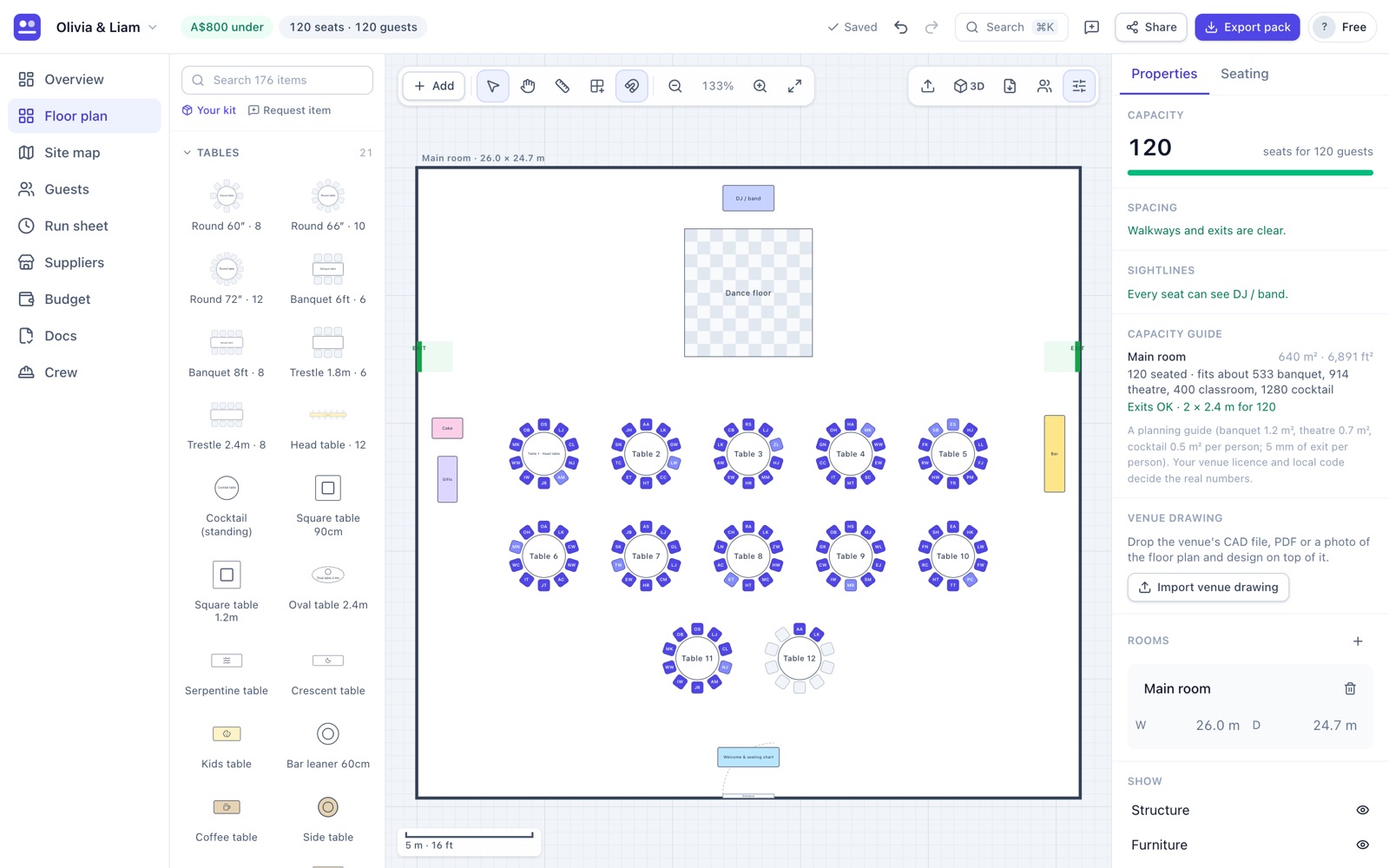
Start from the venue’s drawing or a blank room, fill it with tables in one go, and see straight away whether walkways, exits and sightlines work. Then walk through it in 3D.
No signup · works on laptop, tablet and phone
What you can do
Import the venue’s drawing
Drop in a DXF from the venue’s CAD file, a PDF or a photo of the floor plan, set the scale, and design on top of it.
176 items, to real sizes
Rounds, trestles, banquet and cocktail tables, staging, AV, bars, dance floors, marquees, toilets and barriers. Add your own kit with its sizes.
Fill an area
Draw a box or pick a room and Plotline lays out rounds, trestle runs, theatre rows or cocktail tables, keeping exits and the stage front clear.
Walkway and exit checks
Gaps under 915 mm are flagged as you work. A capacity guide shows how many people the space suits and whether the exit width is enough.
3D and view from a seat
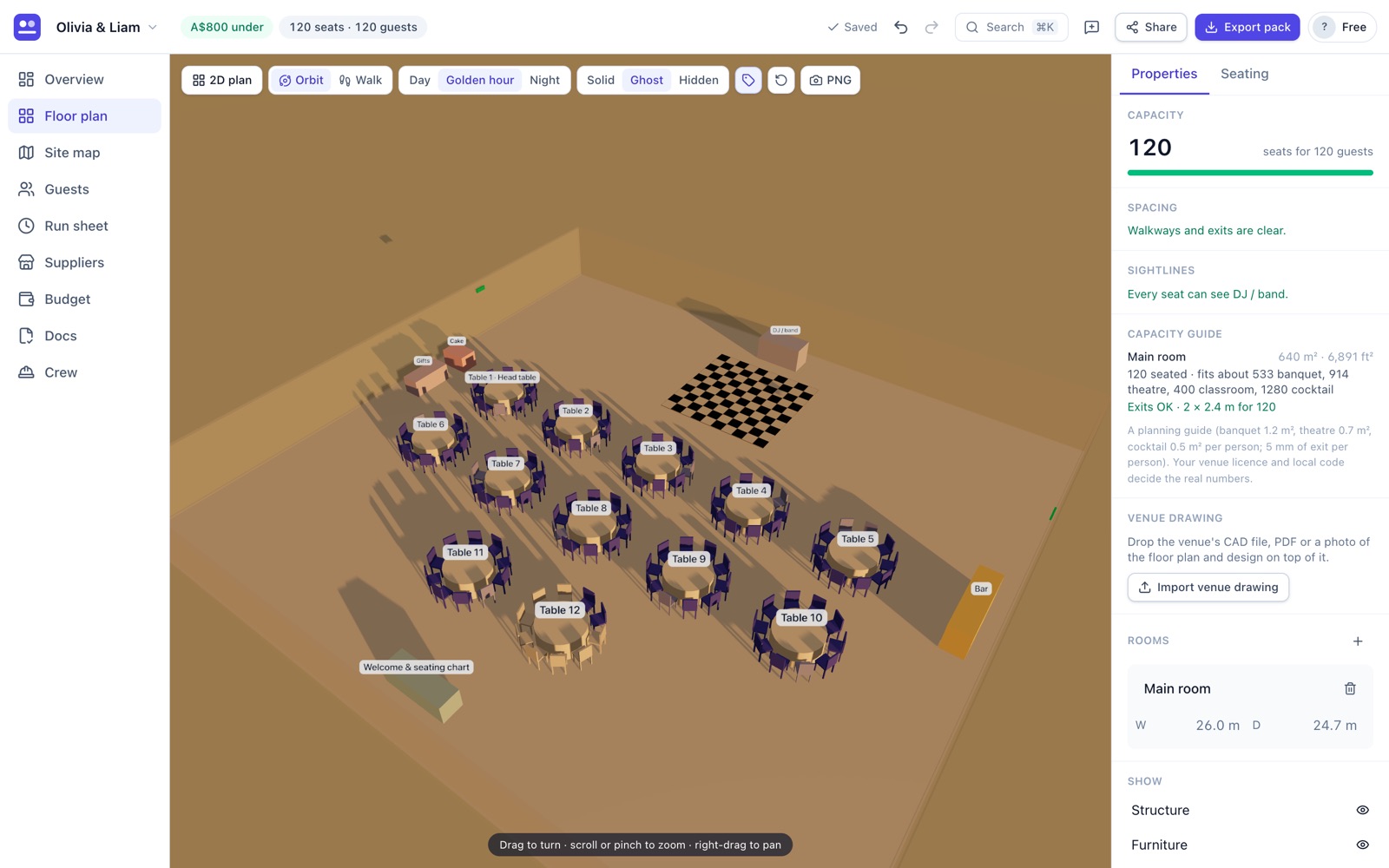
Orbit or walk through the room in Day, Golden hour or Night light, and see exactly what a guest sees from their chair.
Exports people can use
A clean PDF pack for the venue, caterer and crew, a PNG of the 3D view, and a load list of everything to hire.
See it before the day
Switch from 2D to 3D at any time. The sightline check flags seats with a pillar, pole or speaker stack between them and the stage, and tints those chairs on the plan so you can move them.
How it works
- Tell us the eventPick the type and guest count. Plotline drafts a floor plan sized for them.
- Bring in the roomImport the venue drawing or set the room’s width and depth.
- Lay it outDrag items from the library, or fill an area with tables in one click.
- Check and shareFix anything flagged, then export the PDF or share a live link.
Questions
Is the floor plan really to scale?
Yes. Everything is drawn in metres (or feet), from table diameters and chair spacing to stage decks, so what fits on screen fits in the room.
Can I use the venue’s CAD drawing?
Yes. Import a DXF, a PDF or a photo of the plan, set two points of known distance, and it becomes the background you design on.
Does it check fire exits and walkways?
It flags walkways under 915 mm, items blocking an exit, and too little exit width for the number of people (5 mm per person, with at least two exits over 50 people). It’s a planning guide: your venue licence and local code decide the real numbers.
Do I need to install anything for 3D?
No. Plotline runs in your browser on a laptop, tablet or phone, including the 3D view.
Is it free?
Yes. The free plan includes every planning feature for one event, saved in your browser, with no signup. Exports carry a small watermark. Pro (US$39/month) adds unlimited events, clean exports, sync across devices and live share links for clients and crew.
Plan your event now
Answer four questions and get a floor plan, run sheet, budget and supplier list to edit.
Start planning free